
Security modes & approvals
Hacker Sidekick is built so the agent is capable and controllable. It never silently does something dangerous, and every conversation runs in a security mode that shapes its persona and guardrails.
Approvals & safety
What always asks for approval:
- Destructive terminal commands (e.g.
rm -rf,git push --force,sudo, disk operations). - Writing to protected paths (secrets, keys,
.git, and any globs you define). - Running arbitrary JavaScript in a browser page.
- Enabling request interception (traffic tampering).
- Reading files outside the workspace.
- The first use of each MCP tool and integration.
When an approval is needed, it appears in the chat with the exact command or action — Approve or Deny. Each prompt also offers Always allow, which remembers that exact request so you aren't asked again.
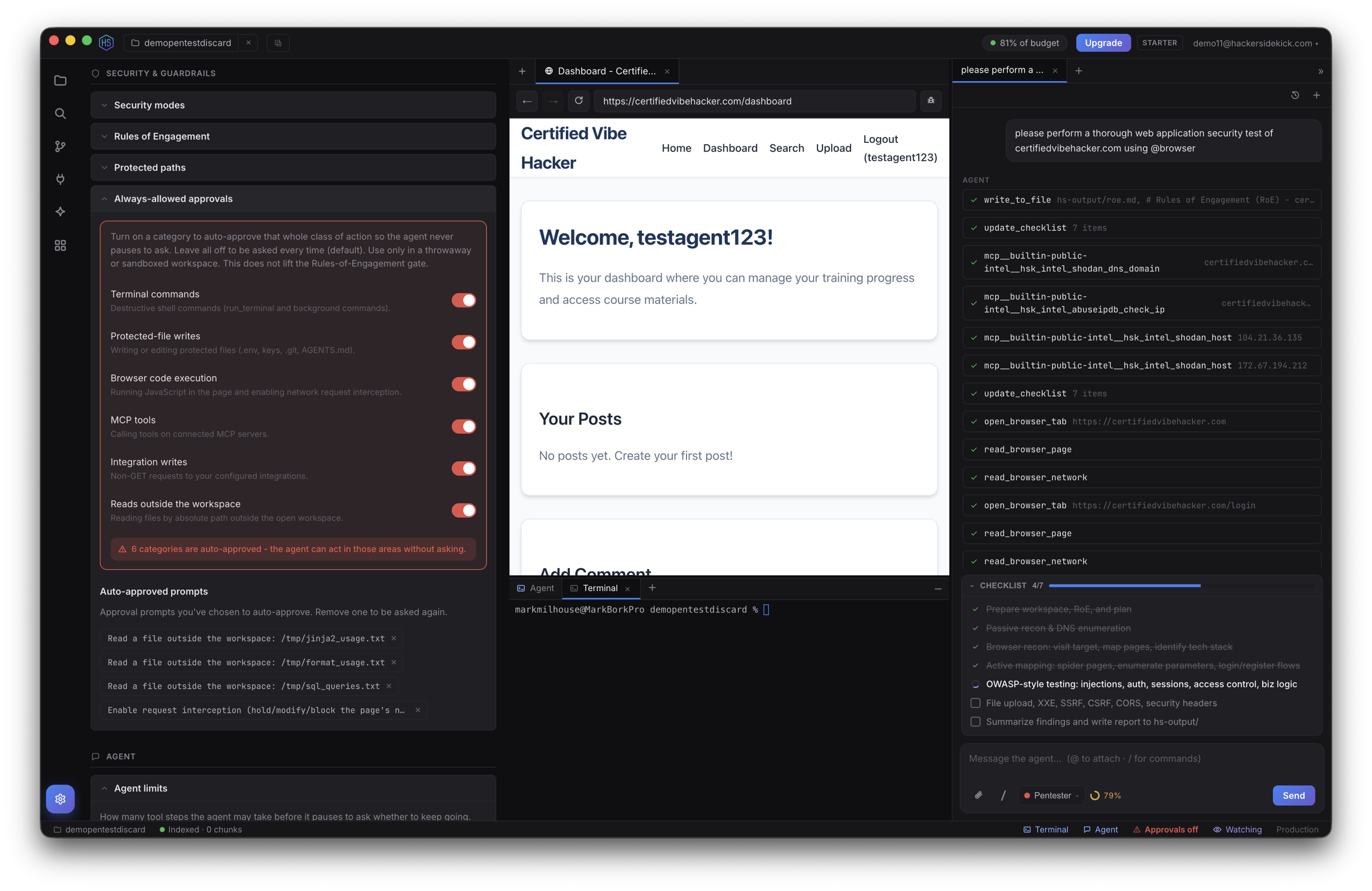
You tune the policy in Settings:
| Setting | What it does |
|---|---|
| Protected paths | Glob patterns that require approval before the agent writes them (secrets, config, etc.). Defaults cover .env, keys, .git, .ssh, and more. |
| Always-allowed approvals | Actions you've chosen to stop being asked about; managed and removable here. |
| Rules of Engagement | A required scope/authorization file for offensive work — see below. |
Settings are account-global and apply to every window.
Security modes
Pick a mode in the composer's selector (next to the attachments button). It's chosen per conversation, and the agent sets a mode for each worker or sub-agent it spawns.
| Mode | For |
|---|---|
| Generalist | Balanced security assistant across red, blue, and dev work (default). |
| Pentester | Authorized offensive engagements, recon → exploit. Requires a Rules-of-Engagement file. |
| DFIR | Forensics & incident response — preserve evidence, build a timeline. |
| Blue Team | Defense — detection, hardening, and remediation. |
| Exploit Dev | Build and debug proof-of-concepts in a controlled way. |
Custom modes
Define your own modes — a name, a short blurb, and a persona/instructions addendum — in Settings → Security modes, and select them anywhere a built-in mode is offered.
Rules of Engagement (RoE)
Offensive modes (like Pentester) require a Rules-of-Engagement file in the workspace that states your scope and authorization. This is a deliberate gate: the agent won't run an offensive engagement against live targets without it. It looks for ROE.md, RULES_OF_ENGAGEMENT.md, or hs-output/roe.md, and Settings can scaffold a shared RoE template into a workspace in one click.
See also
- The agent & chat
- Watch mode — advisory oversight while you work
- MCP servers — per-tool approvals