
The app & first run
Hacker Sidekick is a single installable desktop app: a security-focused code editor with an integrated terminal, a built-in browser, and an AI agent that operates inside your workspace. This page covers installing it, signing in, the window layout, and updates.
Downloads are on hackersidekick.com. Manage your account and plan at portal.hackersidekick.com.
Install
Download the build for your platform from hackersidekick.com and install it like any desktop app:
- macOS — open the
.dmgand drag the app to Applications. - Windows — run the installer.
- Linux — install the
.debor run theAppImage. New to it? See How to install Hacker Sidekick on Linux (2 minutes).
The app updates itself over time — see Updates below.
First run
The app walks you through three quick steps:
- Sign in. Click Sign in; the app opens portal.hackersidekick.com in your browser. Complete sign-in there, and the desktop app returns to the foreground once your session is linked.
- Open a folder. Choose the folder you want to work in (or pick one from recent). Everything — the explorer, terminal, browser, and agent — operates inside this folder, which becomes the agent's workspace.
- Take the tour. A 60-second guided tour points out where each part of the app lives. Press Esc to skip it, and replay it any time from Help → Restart Tutorial or the Getting Started screen.
Staying signed in
You only sign in once. Your session is stored securely on your device (in your OS keychain) and restored automatically each time you launch, so you won't be asked to sign in every time. A session lasts up to 90 days, after which you'll sign in again. Signing out (from the account menu) or a revoked/expired session also returns you to the sign-in screen.
The window at a glance
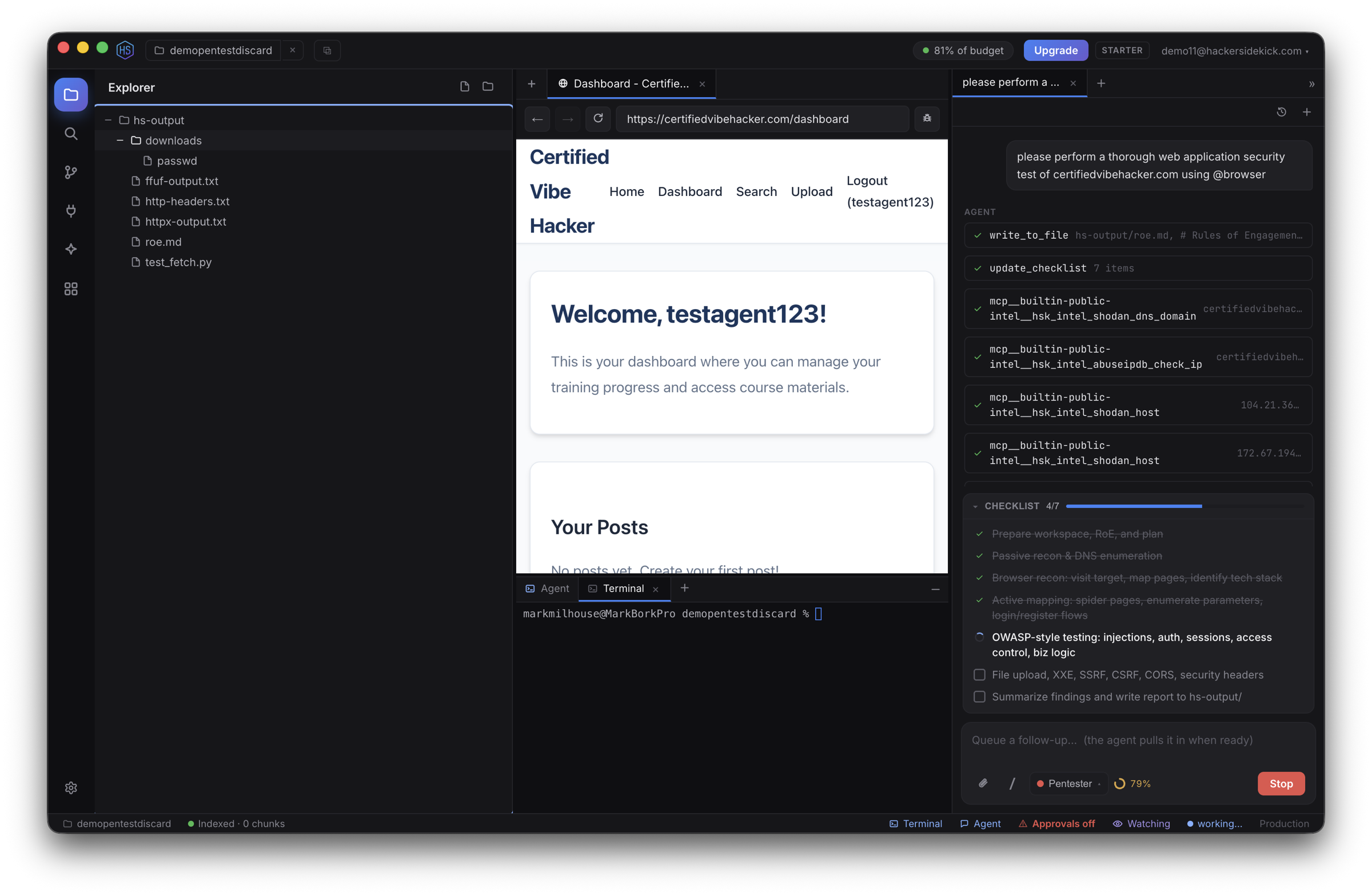
Once you're in a workspace, the app is laid out like a modern IDE:
- Title bar — the current workspace, a button to open a new window, your remaining tokens, and your account menu.
- Activity bar (far left) — switch the side panel between Explorer, Search, Source Control, MCP Servers, Skills, Integrations, and Settings.
- Side panel — the tool selected in the activity bar (the file Explorer by default).
- Center — your open files and browser tabs. With nothing open, a Getting Started page offers quick actions and orients you.
- Terminal (bottom) — a real shell opened in your workspace.
- Agent (right) — chat with the AI agent. You can open multiple agent tabs to run more than one at a time.
- Status bar (bottom) — workspace indexing progress, a live backend connection indicator (Connected / Connecting… / can't-reach), and the Watch (passive monitor) toggle.
Jump between panes from the keyboard — ⌘1–⌘4 (Ctrl on Windows/Linux) focus the chat, terminal, browser, and Explorer; ⌘B / Ctrl+B toggles the side panel, ⌘⌥B the agent panel, and ⌘J the terminal panel. ⌘+ / ⌘- / ⌘0 zoom the whole app (chrome and browser views together). See Keyboard shortcuts for the full, rebindable list.
For everything you can do here, see Using Hacker Sidekick.
Your account
Click your email in the top-right for the account menu:
- Top up — enable or adjust auto top-up (metered tokens beyond your plan's included pool) without leaving the app.
- Account & billing — opens the account portal to manage your plan, payment method, invoices, and usage.
- Sign out.
An Upgrade button appears next to the menu whenever a higher plan would unlock more. Your remaining tokens show as a chip in the title bar — click it for the full usage breakdown. Plans and billing are covered on the Account portal page.
Settings
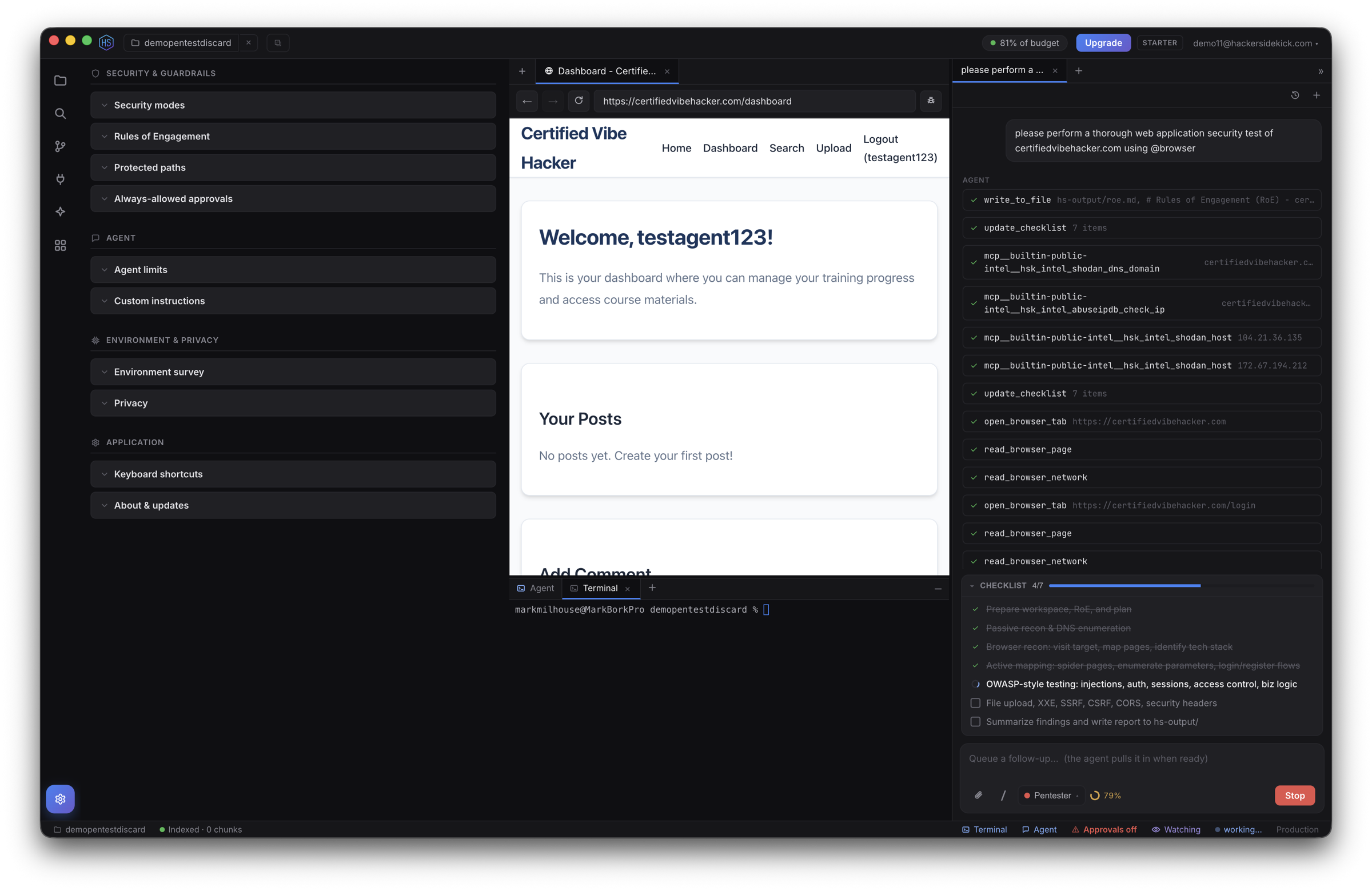
Open Settings from the activity bar. Everything here is account-global — it applies to every window — and is organized into:
- Security & guardrails — security modes, Rules of Engagement, protected paths, and your always-allowed approvals.
- Agent — agent step limits and custom instructions.
- Environment & privacy — the environment survey and privacy controls.
- Application — keyboard shortcuts and About & updates.
Environment survey
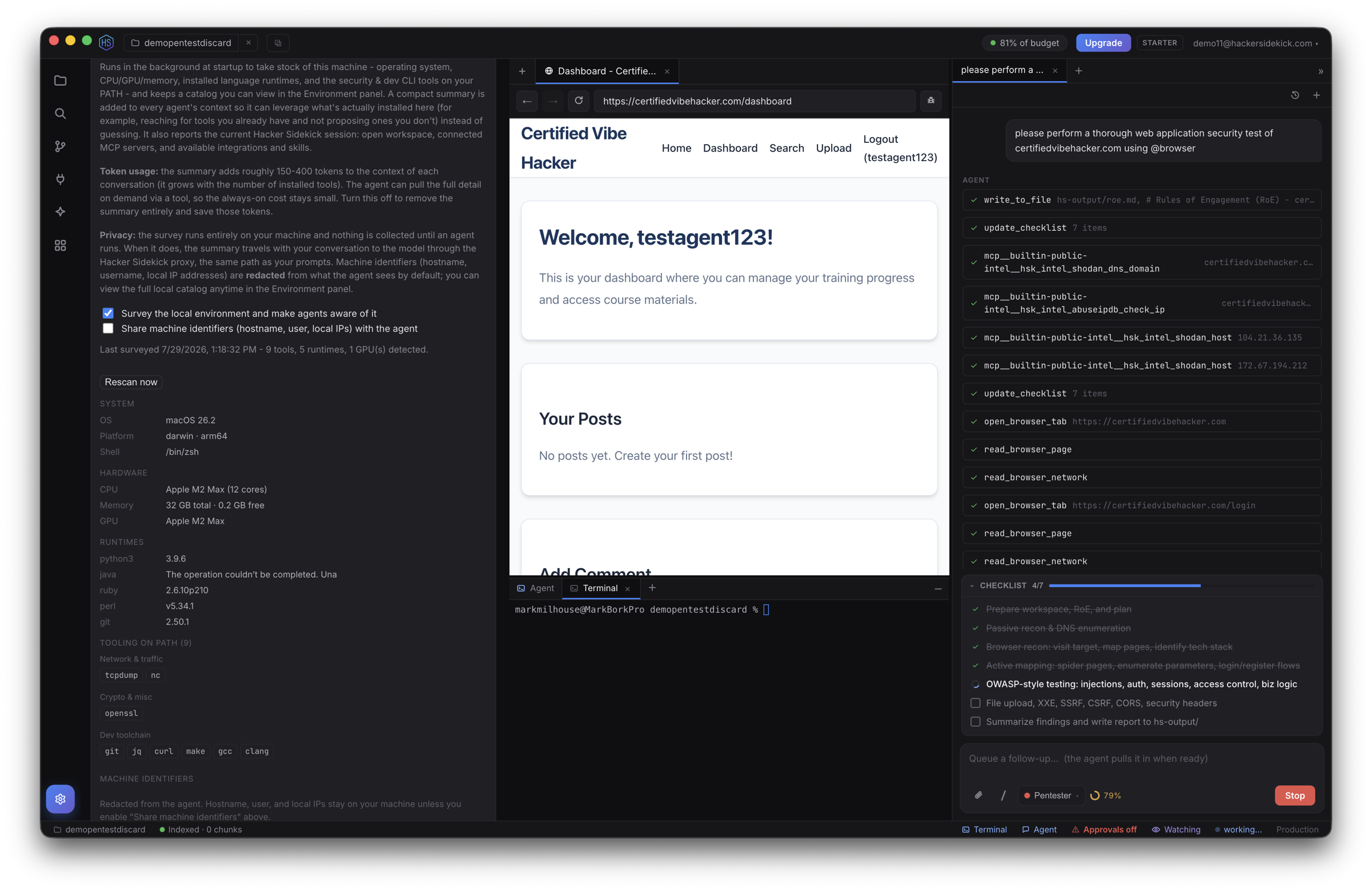
At startup Hacker Sidekick takes stock of your machine — operating system, CPU/GPU/memory, installed language runtimes, and the security & dev command-line tools on your PATH — and keeps a catalog you can view here. A compact summary is added to the agent's context so it uses what's actually installed instead of guessing (for example, reaching for a tool you already have). The agent can pull the full detail on demand.
It's on by default and adds only a small amount to each conversation. Privacy: the survey runs entirely on your machine, and machine identifiers (hostname, user, local IPs) are redacted from what the agent sees unless you opt in. Turn the whole thing off, or Rescan at any time, from this panel.
Updates
Hacker Sidekick keeps itself current:
- Automatic updates — the app checks for new builds in the background and can download and install them, so you stay on the latest version.
- Check manually — Help → Check for Updates… at any time.
- Version — the version you're running is shown under Settings → About & updates.
Account and billing changes always happen in the portal, never through the update installer.
The Help menu
The app's Help menu has:
- Documentation — opens this site.
- Restart Tutorial — replays the guided tour over the real interface.
- Check for Updates…
See also
- Using Hacker Sidekick — the full feature guide
- Keyboard shortcuts — every shortcut in one place
- Account portal — plans, usage, billing, and auto top-up
- Enterprise — private, organization-provisioned deployments
- Videos — install guides and recorded sessions